Bills, invoices and the ledger behind them.
Approve a vendor bill, pay it in the currency the vendor asks for, and send customer invoices. Every movement posts to a double-entry ledger.
Passkey or NEAR wallet. The demo runs in mock mode, so no funds move.
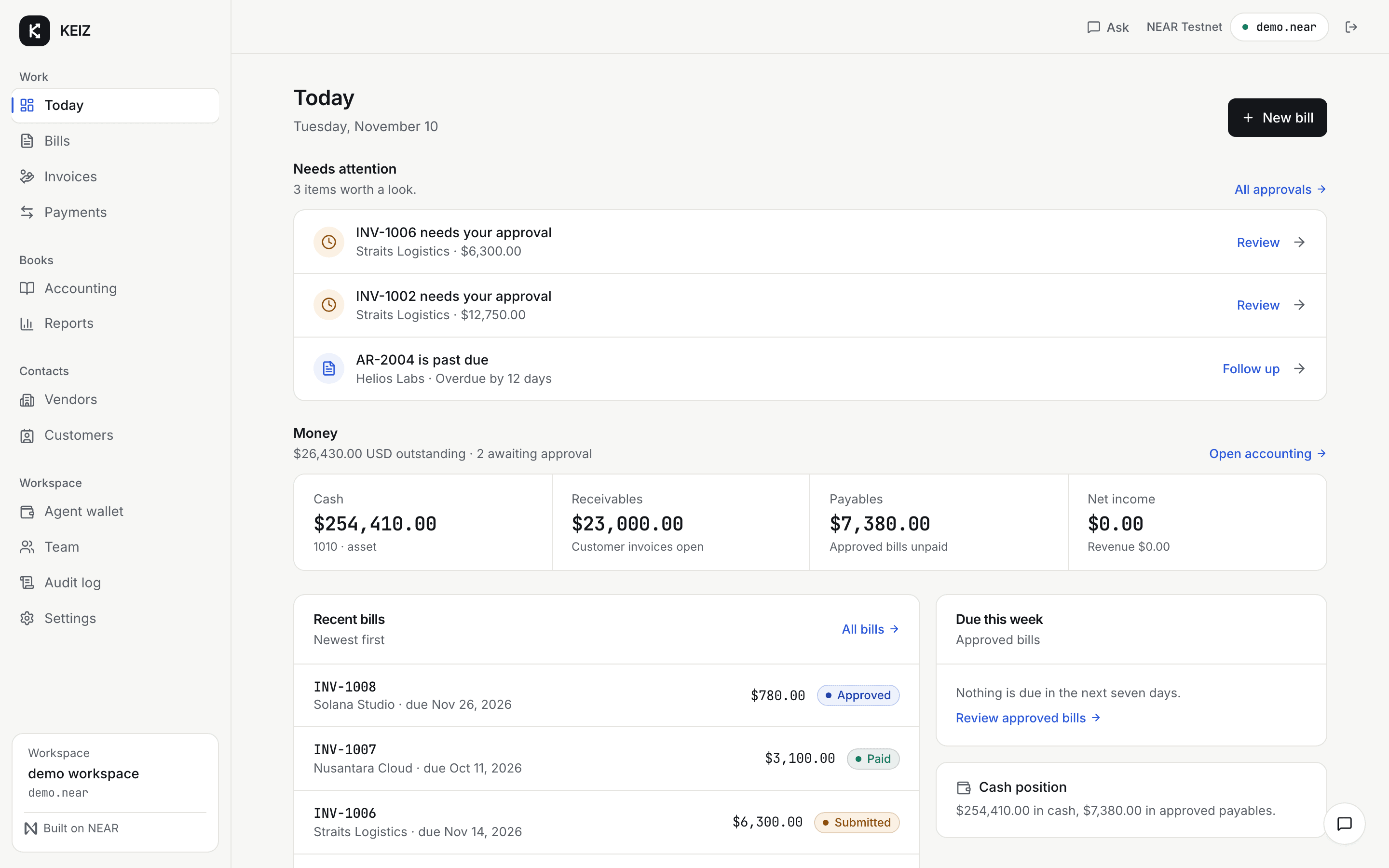
One bill, from arrival to posted.
The same record moves from draft to approval to settlement. Nothing is re-keyed, and every step leaves an audit trail.
- 01
Add the bill
Vendor, line items, tax and due date. The bill is a draft until someone sends it.
- 02
Route it for approval
Approvers see it with the vendor and the amount. When another approver exists, the creator cannot approve their own bill.
- 03
Pay it
The exact amount is locked before you sign. The vendor receives the currency and chain they ask for.
- 04
It posts
Approval posts the expense and the payable. Settlement clears the payable against cash. A void posts a reversal.
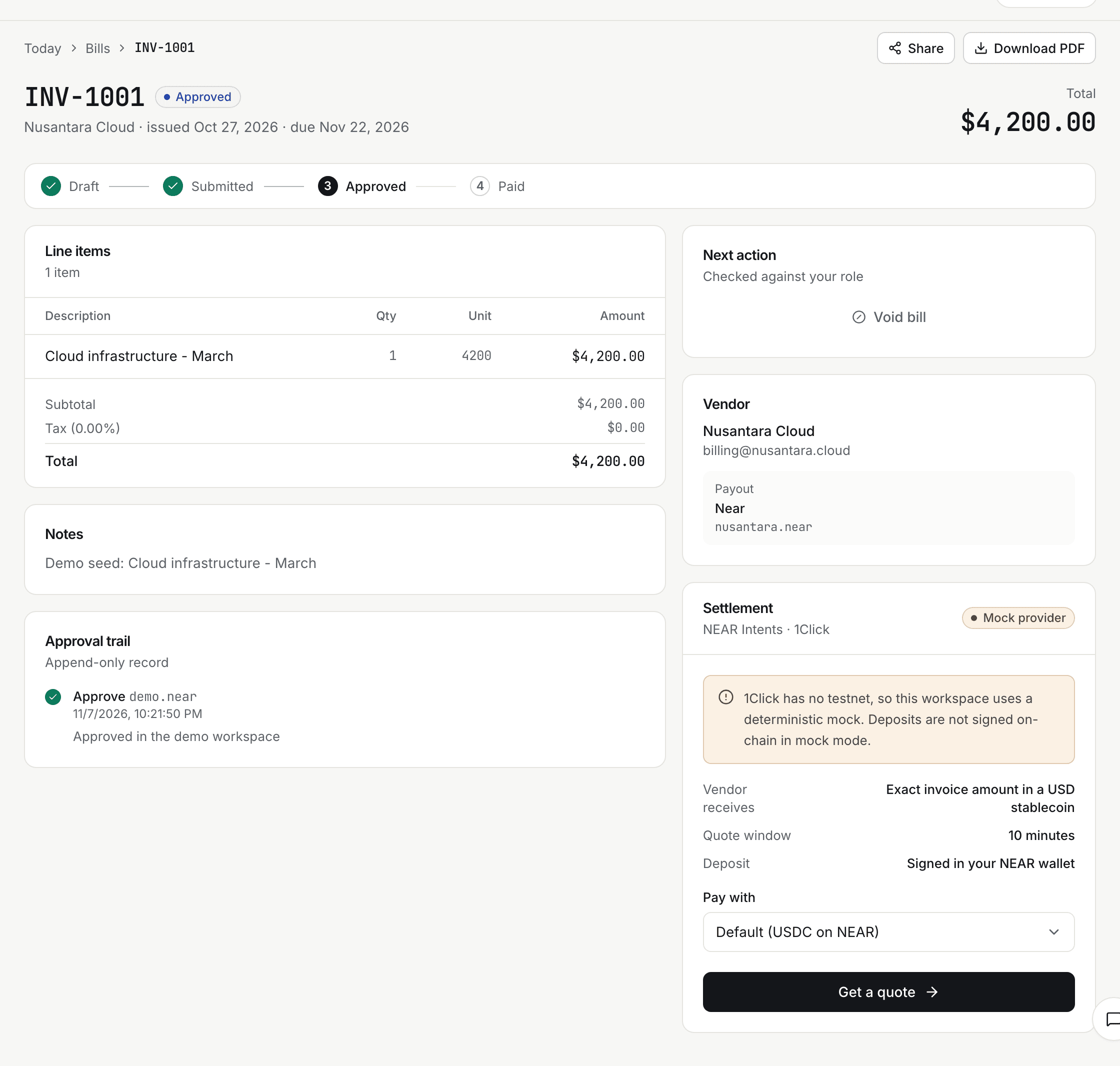
Approving posts the entry. Paying clears it.
The ledger is written as the work happens, not rebuilt at month end. Debits and credits stay balanced without a spreadsheet.
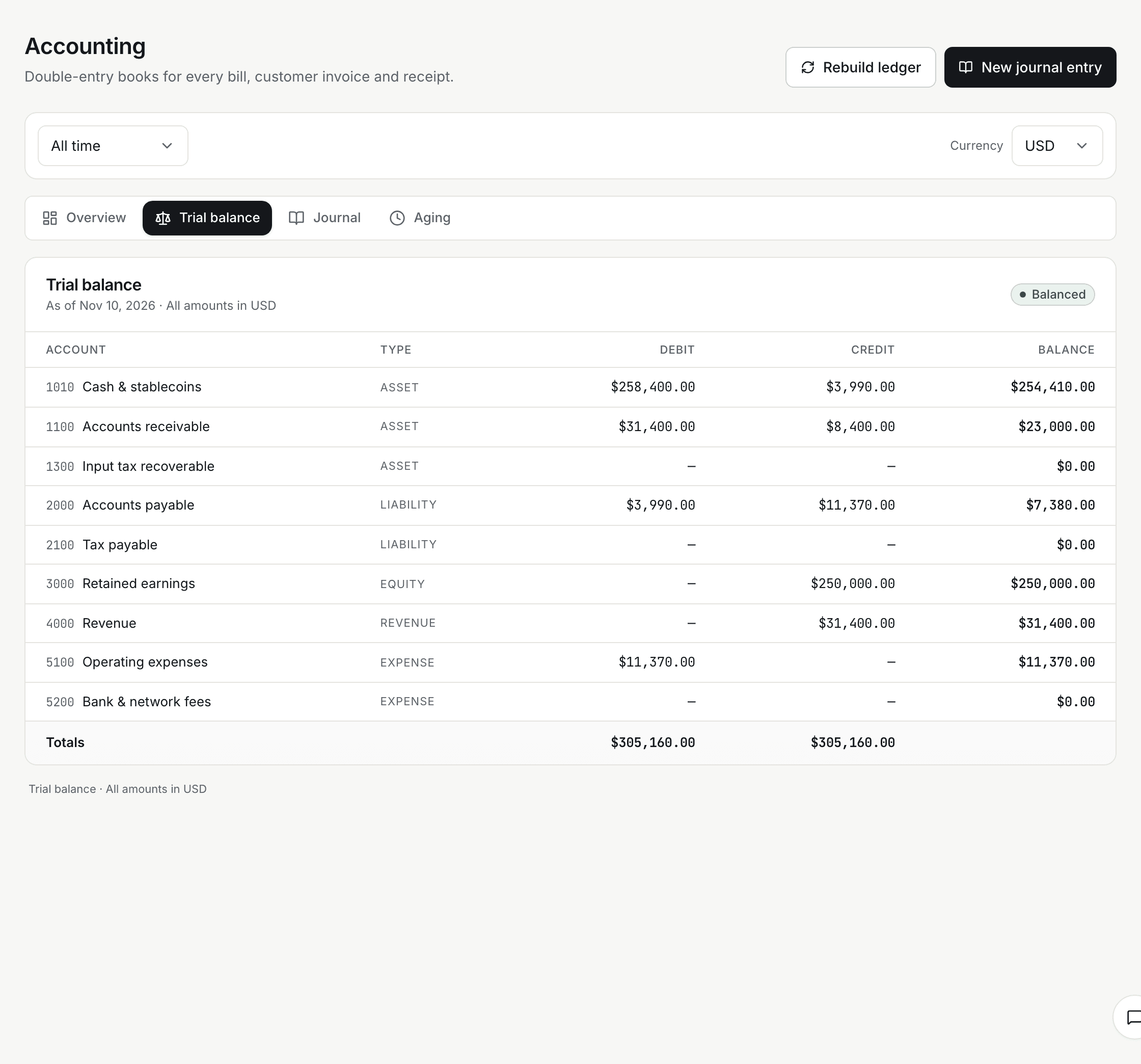
What the ledger records
- Approval
- Posts the expense and the accounts payable, once.
- Settlement
- Clears the payable against cash when the payment succeeds.
- Correction
- Voids and reversals. Posted entries are never edited.
Paying a vendor
- The amount that will land is locked before you sign.
- Vendors receive the currency and chain they ask for.
- If a route fails, the bill returns to approved so you can retry.
Roles, limits and keys.
Controls are part of the workflow, whether a person or the agent starts the payment.
Nobody approves their own bill
When another approver exists in the workspace, the creator cannot approve. A solo workspace still works.
The agent has a leash
Per-transaction and daily caps, an asset allowlist and a human approval threshold you set. The agent proposes; you approve.
Keys stay in the enclave
Custody keys live inside OutLayer’s Intel TDX environment, with policy checked before anything is signed. KEIZ stores an encrypted API key, not the key.
One workspace at a time
Every query is scoped to your organization. The assistant only sees the tools and records in your workspace.
The assistant can read your books and draft a payment. It cannot move money.
Runs on




Questions, answered.
The things finance teams ask before they move bills and invoices into the same workspace.
Can I try it without spending anything?
Yes. Sign in with a passkey or a NEAR wallet, open the demo workspace and load the demo data. Payments run against a mock provider, so nothing moves on-chain.
Do I need crypto to use KEIZ?
You sign in with a NEAR wallet or a passkey. Vendor payouts settle in stablecoins on the chain the vendor chooses. The demo needs no funds and no wallet transaction.
Is KEIZ a full accounting system?
It gives you a double-entry ledger, trial balance, AP and AR aging and a complete journal. It does not file taxes or replace your accountant. You can export the numbers and review them together.
Who can approve a bill?
Approvers, admins and owners. If another approver exists in the workspace, the person who created the bill cannot approve it. A solo workspace still works.
Which chains can I pay?
NEAR, Ethereum, Base, Arbitrum, BNB Chain, Polygon, Solana, Stellar, Tron and TON, through NEAR Intents.
What happens if a payment fails?
The bill returns to approved so you can retry. Refunds follow the payment provider’s path, and the ledger keeps the original entries.
Does KEIZ hold my keys?
No. KEIZ never holds your keys. The optional agent wallet runs inside OutLayer’s Intel TDX custody environment, with its policy checked before anything is signed.
Open the demo workspace.
Sign in with a passkey or a NEAR wallet and load the demo data. You can click through approvals, payments and the ledger without spending anything.
Mock payments. No funds move until you connect a funded wallet.